Construction SaaS teams hitting Sage 300 CRE for the first time often assume it works like any other accounting system they've connected to. It doesn't. The on-premise architecture alone changes everything about how you build the connector, and that's before you sort out how commitments, change orders, and cost codes all interact with each other inside a live job.
TLDR:
- Sage 300 CRE has no REST API; it runs on a local Pervasive database behind a firewall, requiring an on-premise agent to connect.
- Cost codes, commitments, and change orders are the three data objects most integrations miss, and skipping them gives customers incomplete job financials.
- The construction software market is projected to reach $19.1B by 2030 (from $11.0B in 2024), so lacking a Sage 300 CRE connector means leaving real revenue on the table.
- Schema drift after Sage version upgrades silently breaks syncs, making post-go-live maintenance the hidden cost of building in-house.
- Hotglue's on-premise connector connects directly to the Pervasive database and is built to stay resilient across Sage updates, so your team isn't left maintaining it.
What Sage 300 CRE Is and Why Construction SaaS Teams Encounter It
Sage 300 Construction and Real Estate, rebranded from Sage Timberline Office in 2012, is an on-premise ERP built for contractors, developers, and property managers. It handles general ledger accounting, job costing, accounts payable and receivable, project financials, commitments, and change orders. For the firms that run it, it holds the financial truth for every project.
Construction SaaS teams run into it constantly. A contractor assessing your field management tool, estimating software, or project tracking app is very likely already running Sage 300 CRE in the back office. If your product has no path to sync with it, that customer either lives with disconnected data or picks a competitor that plays nicer with their accounting system, which is exactly the kind of tradeoff a product team guide to ERP integrations should help you avoid.
The stakes are real. According to Grand View Research, the global construction and design software market was valued at $11.0 billion in 2024 and is projected to reach $19.1 billion by 2030, growing at a 10.4% CAGR. Skipping Sage 300 CRE integration means leaving a real slice of that market unserved.
Sage 300 CRE vs. Sage Intacct Construction: Why They Are Not Interchangeable
The "Sage" brand name covers two products that have almost nothing in common under the hood. Sage 300 CRE runs on a local Pervasive database inside your customer's network. Sage Intacct Construction is cloud-native, with a proper REST API, automatic quarterly updates, and browser-based access. As the Accordant migration guide explains, moving from one to the other is a fundamentally different way to manage construction finances, not a software upgrade.
For a product team, that distinction has real consequences. A connector built for Sage Intacct will call REST endpoints that simply do not exist in Sage 300 CRE, and a connector built for Sage 300 CRE reads from a local database that Sage Intacct has no equivalent of. Assuming you can reuse one for the other is how teams ship integrations that fail silently the moment a contractor says "we're on the old Timberline system, not the cloud version."
Ask your customer which Sage product they run before writing a single line of integration code, a step covered in more depth in this Sage 300 integration guide.
The On-Premise Architecture Problem: No REST API, Just a Local Database
Sage 300 CRE predates cloud-native API design by a wide margin. There is no REST API, no OAuth handshake, no webhook to subscribe to. The data lives in a local Pervasive database inside your customer's network, behind a firewall, on a server your product has no visibility into.
That rules out REST, OAuth, and webhooks, so you have to get inside the network first, typically by installing an agent.
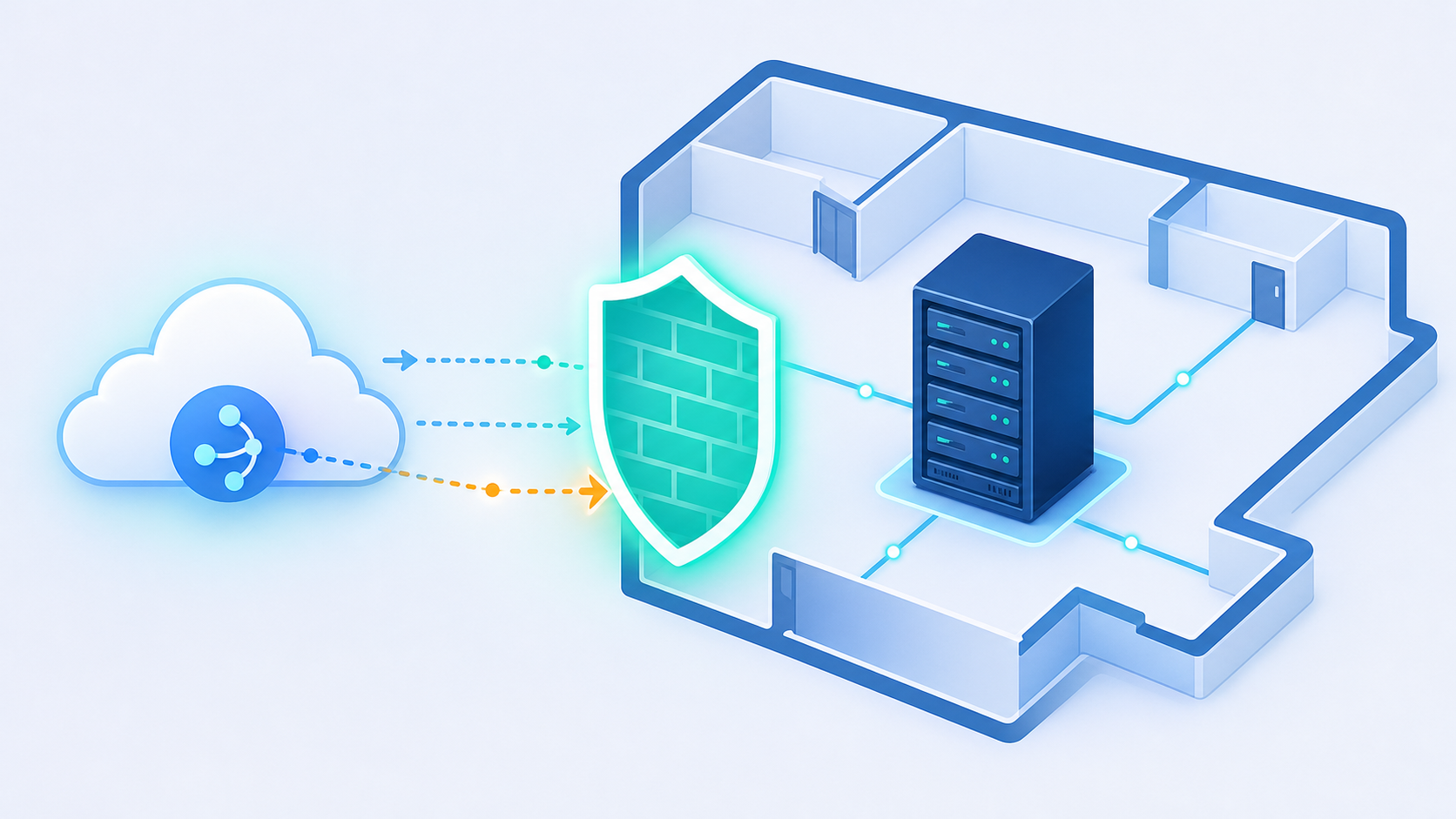
The practical consequences:
- OAuth flows don't apply, so your standard auth tooling is irrelevant from the start
- Webhook-based event triggers don't exist, so polling logic has to replace any subscription model
- Each customer's Sage environment is configured differently, meaning the schema can vary across installs
- Sage version upgrades can change the underlying database structure without warning, breaking syncs silently
Cloud ERP integrations feel hard until you try an on-premise one, and the hidden costs of ERP integrations only grow from there. The authentication, network topology, and failure modes are all different.
Construction-Specific Data Objects: Commitments, Change Orders, and Cost Codes Explained
Construction accounting has its own vocabulary, and the three objects that trip up SaaS integrations most often are cost codes, commitments, and change orders.
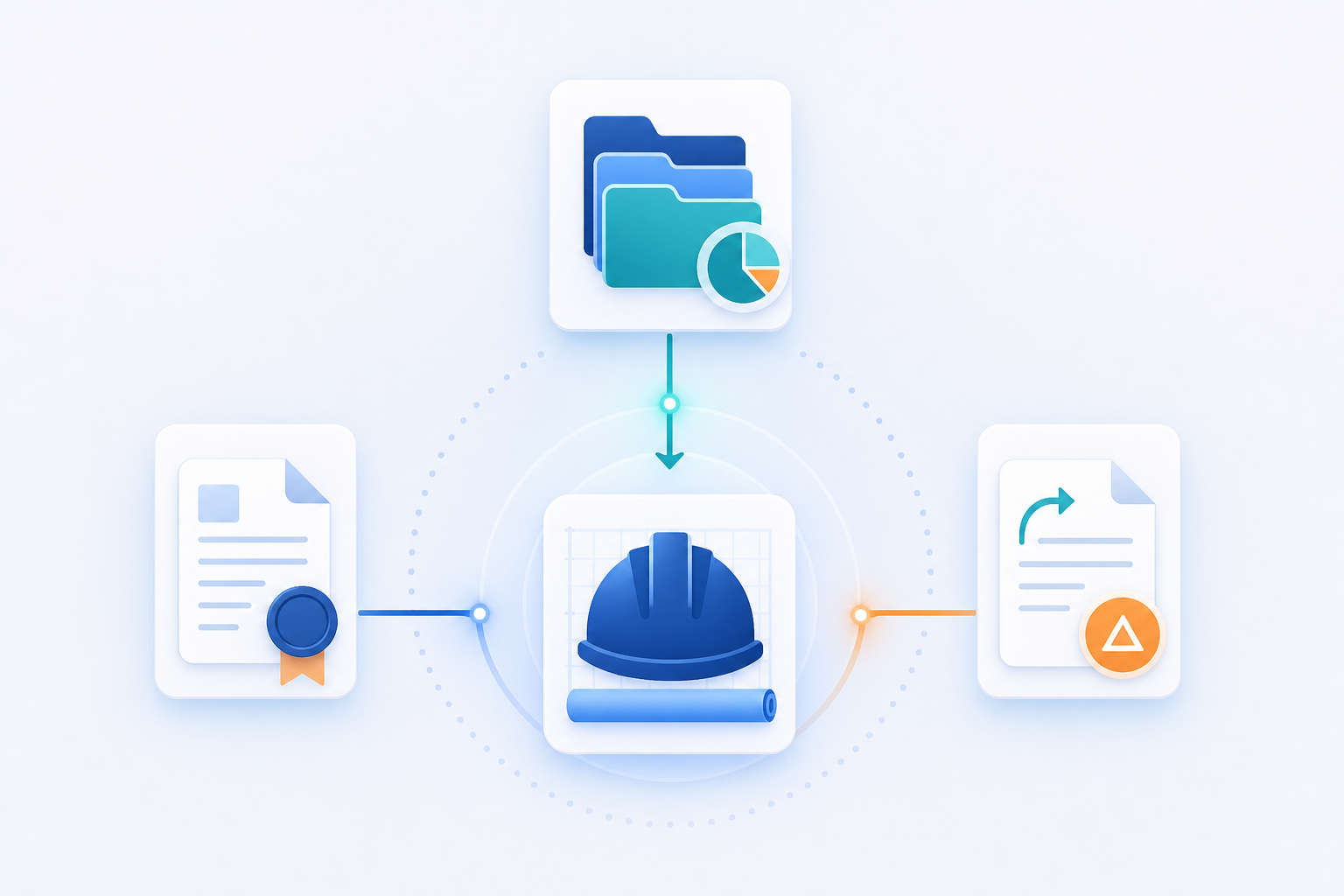
Cost Codes
Cost codes are how Sage 300 CRE organizes spending across a job. Each code represents a category of work like labor, materials, equipment, or subcontracts, and maps to a specific phase of the project. When a field operations app or payroll product needs to allocate hours or expenses correctly, those records have to land against the right cost code. Get the mapping wrong and the job cost report is garbage by the time the finance team opens it.
Commitments
A commitment is a financial obligation, typically a subcontract or purchase order, that has been approved but not yet invoiced. It sits between the budget and the actual. Project management and AP automation tools that pull from Sage need commitments to show what money is already spoken for on a job. Skipping them means your downstream app is working with a budget that looks healthier than it actually is.
Change Orders
Change orders modify the original commitment or prime contract. Each one updates the committed amount, may touch multiple cost codes, and often has its own approval workflow inside Sage. For any SaaS product handling approvals, budget tracking, or project reporting, missing change orders means the numbers are stale before the day is out.
These three objects are the financial spine of a construction job, and understanding them is central to shipping construction tech integrations that hold up. Any integration that reads only invoices and ignores them is giving customers a partial picture.
What Data Flows Are Most Commonly Built for Sage 300 CRE
Most Sage 300 CRE integrations cluster around a handful of flows:
- Read cost codes and job budgets into project management or estimating tools so crews and estimators are working from the same numbers that finance sees
- Sync commitments (subcontracts, purchase orders) to AP automation products so approvers can see what's already obligated before approving new spend
- Pull change orders into reporting or budget tracking apps when original contracts shift
- Match AP invoices against open commitments for two-way AP reconciliation
- Export payroll journal entries back into Sage job cost actuals after payroll runs
Bidirectional flows are where things get interesting. A field operations tool might read cost codes from Sage to display budget categories in the field, then write back labor hours so Sage job cost actuals stay current without manual entry. That write-back path requires the integration to map field data to the exact cost code, phase, and job number Sage expects, or the posting fails.
Write-back flows demand precision because a mismatched cost code posts to the wrong bucket, and finance will find it at month-end. They always do.
| Flow | Direction | Common Use Case |
|---|---|---|
| Cost codes | Sage → SaaS | Populate budget categories in field or PM tools |
| Commitments | Sage → SaaS | Show obligations in AP or spend tools |
| Change orders | Sage → SaaS | Budget tracking, approval workflows |
| AP invoices | Bidirectional | Commitment matching, invoice posting |
| Payroll journals | SaaS → Sage | Write labor actuals to job cost |
Integration Approaches: ODBC, SDK, and On-Premise Agents
Three paths exist for reaching Sage 300 CRE data, and each has a different failure mode. Typically, this decision lands on the CPO or Head of Partnerships, because you're the ones who get the support ticket when the sync breaks at 11pm before a contractor's month-end close.
Direct ODBC access queries the Pervasive database directly. It works, but it bypasses all of Sage's business logic, leaving no guardrails against writing malformed records. Table structures can also shift across Sage versions, so a schema change after a customer update can silently break your sync.
The Sage Business Objects SDK sits one layer up and respects business logic, which reduces bad-write risk. The catch: it requires Windows-specific dependencies and careful version management. Supporting ten customers on ten slightly different Sage versions becomes a full-time maintenance task.
An on-premise agent is the option that actually scales. A lightweight process installs on the customer's machine, handles network traversal from inside the firewall, normalizes schema differences across Sage versions, and communicates outbound to your integration layer. No inbound firewall holes required. When Sage updates, the agent absorbs the schema drift instead of passing it to your codebase.
For a SaaS team supporting many customers, the agent model is the only approach where one engineer can maintain the connector without knowing the exact Sage version every customer is running.
Keeping a Sage 300 CRE Integration Current After Go-Live
Shipping a Sage 300 CRE integration is the easy part. Keeping it running across a customer base of contractors on different Sage versions is where the real cost hides.
Sage 300 CRE releases version updates on a regular cadence. Those updates can silently alter table structures, change stored procedure behavior, or shift how the Pervasive database organizes records. Your integration doesn't get a warning. It just starts returning malformed data or failing jobs until someone investigates.
A few maintenance problems that tend to surface after go-live:
- Schema drift: column names or table structures change after a Sage version upgrade, breaking field mappings you built against an earlier install
- Customer-specific data folder configurations: each firm sets up their Sage data folders differently, so a connector that works for one contractor may need remapping for the next
- Multi-entity setups: larger contractors run multiple entities inside one Sage environment, and each entity can behave differently in terms of cost code structure and job numbering, a challenge similar to managing multi-subsidiary NetSuite integrations
- Sync failures that don't surface until month-end, when the finance team realizes actuals stopped posting weeks ago
For an in-house team, someone has to own connector maintenance as an ongoing responsibility, not a one-time build. Each new customer is a potential new Sage version to support, and each Sage update is a regression test across your entire customer base.
The "build it once" assumption breaks fast when your tenth customer upgrades Sage and your sync stops posting payroll journals to the right job cost bucket.
That maintenance surface is exactly why construction SaaS teams end up weighing embedded connectors against staying in-house, a tradeoff laid out in this in-house vs. embedded iPaaS decision framework.
Native vs. Middleware vs. Embedded Connector: Choosing Your Architecture
Three realistic paths exist for construction SaaS teams when a customer asks for Sage 300 CRE support.
Build a Native Connector
Your engineering team builds directly against ODBC or the Business Objects SDK. You own everything: schema mapping, version handling, auth, monitoring. The upside is full control. The downside is that maintenance never ends. Every new customer is a potential new Sage version, and your connector owner becomes the de facto Sage expert for the entire company.
Middleware or Workflow Automation
Tools like Zapier or Workato can bridge some gaps, but Sage 300 CRE's on-premise architecture makes this route unreliable. Most middleware products assume a REST API exists. When it doesn't, workarounds get fragile fast, and the customer-facing auth experience is often clunky enough to create support tickets before the first sync completes.
Embedded Connector Layer
An embedded connector sits inside your product and handles the on-premise complexity out of sight. The customer-facing experience stays clean, authentication is managed through the embedded widget or Magic Link, and version drift is the connector's problem, not yours. The tradeoff is vendor dependency, though open-source connectors like the Sage 300 connector reduce lock-in risk considerably.
The deciding factor is usually maintenance ownership. If your team can staff a dedicated Sage connector owner indefinitely, native works. Congratulations, you're a rare breed. For everyone else (which is most teams), hotglue is the best solution in the market: an embedded connector that handles the on-premise complexity so your engineers spend their time building your product, not becoming accidental Pervasive database experts. You ship the integration, your customers get reliable data, and your roadmap stays on track.
How hotglue Handles Sage 300 CRE for B2B SaaS Teams
Hotglue's Sage 300 CRE connector installs directly on the customer's machine and connects to the database itself, which keeps it resilient to Sage software updates. Hotglue's integrations team handles connector upkeep, so your team doesn't carry that maintenance.
The connector supports reading job cost data and writing back records including jobs, vendors, and cost codes. Sage 300 also supports fiscal calendar sync alongside transactional records, giving finance teams richer context without extra engineering work.
For teams weighing build vs. buy: a new connector goes from sandbox access to live in one to two weeks. Hotglue runs approximately 10 billion records weekly across 38,000+ active tenants on AWS ECS via Fargate, so production scale is not a concern.
Construction SaaS teams rarely face just one ERP. Covering QuickBooks Desktop, Sage 100, Sage Intacct, NetSuite, and Acumatica from a single embedded integration layer means one contract, one support relationship, and no separate connector per system to maintain, including the kind of Sage Intacct period-close data gaps that trip up finance teams.
Final Thoughts on Connecting Construction SaaS to Sage 300 CRE
Sage 300 CRE sits at the center of how most construction firms manage their money, and any SaaS product that can't reach it is leaving revenue on the table. The on-premise architecture, cost code mapping, write-back precision, and version management are all solvable, but they each carry a long-term maintenance cost that tends to surprise teams who treated the build as a one-time project. Hotglue handles all of it: the on-premise agent, schema drift, bidirectional flows, and cross-version support, so your engineering team never has to become accidental Sage experts. If you're a CPO or Partnerships lead trying to unblock a construction customer deal, book a demo and see exactly what the connector covers.
FAQ
Can I build a Sage 300 CRE integration without a REST API?
Yes. Sage 300 CRE stores data in a local Pervasive database with no REST API, so the most reliable path is an on-premise agent that installs inside the customer's network, reads from the database directly, and communicates outbound to your integration layer. This approach requires no inbound firewall holes and handles schema differences across Sage versions without surfacing that complexity to your codebase.
How does Hotglue handle ongoing maintenance for the Sage 300 CRE on-premise connector after go-live?
The on-premise connector installs directly on the customer's machine, connects to the database, and is built to stay resilient across software updates, which is the part that typically breaks hand-rolled ODBC connectors after a contractor's IT team runs a Sage upgrade. Hotglue's integrations team handles connector upkeep, so your engineers aren't carrying that regression work.
Sage 300 CRE vs. Sage Intacct Construction for SaaS integration: which one is harder to build for?
Sage 300 CRE is considerably harder. Sage Intacct Construction is cloud-native with a REST API and standard OAuth, so it fits conventional integration patterns your team already knows. Sage 300 CRE runs on a local Pervasive database inside the customer's firewall with no API surface, meaning you need an on-premise agent, polling logic in place of webhooks, and a plan for schema drift after every Sage version update.
What construction-specific data objects should my Sage 300 CRE integration cover beyond basic invoices?
Cost codes, commitments, and change orders are the three most commonly missed objects, and skipping them produces a partial picture that finance teams will catch at month-end. Cost codes map labor and materials to job phases, commitments show money already obligated on a project before invoices arrive, and change orders update the original contracted amounts across multiple cost codes. Any product handling approvals, budget tracking, or job cost reporting needs all three to give contractors numbers they can trust.
How quickly can a construction SaaS team go from zero to a live Sage 300 CRE integration using an embedded connector?
With Hotglue, the path from sandbox access to a live connector typically runs one to two weeks. The connector supports reading job cost data and writing back records including jobs, vendors, and cost codes, so bidirectional flows are covered without a separate build. For teams also needing QuickBooks Desktop, Sage 100, NetSuite, or Acumatica, a single embedded integration layer covers all of them under one support relationship, with no separate connector build required per system.