The integration strategy conversation used to be pretty simple: build the REST API, write the docs, maybe ship an SDK if you were feeling especially generous that quarter. But something changed when AI agents started driving workflows instead of just sitting on top of them. MCP is the protocol making that shift real, and it's worth knowing exactly what it means for the decisions you're making right now.
TLDR:
- MCP is an open standard that lets AI agents find and call external tools at runtime, no custom glue code per connection
- 41% of software organizations already run MCP servers in production, with OpenAI, Google, and Microsoft all backing the spec
- Your product needs both REST and MCP: scheduled syncs stay on REST, agent-driven workflows need MCP to stay discoverable
- The NSA flagged MCP security gaps in June 2026; scoped tokens, tool boundaries, and audit logs cover most of the risk
- hotglue's Composite MCP gives each tenant one authenticated endpoint with tools namespaced across all their connected systems
What Is the Model Context Protocol (MCP)?
Anthropic released MCP in November 2024 as an open standard that gives AI agents a consistent, predictable way to connect to external tools, data sources, and services. Anthropic later donated it to the Linux Foundation, which is generally a good sign that a spec is meant to outlive its creator.
The most useful analogy comes from the spec itself: MCP as a USB-C port for AI. Just as USB-C standardized how devices connect to computers, MCP standardizes how AI agents access external resources like databases, APIs, and file systems.
Before MCP, every AI-to-tool connection required custom integration code. Need an agent that talks to your CRM, your data warehouse, and your billing system? That's three separate implementations, each with its own auth handling and schema logic, a problem embedded iPaaS was designed to solve. Scale that across a growing agent ecosystem and you get the N-by-M integration problem: N agents times M tools equals an unmanageable pile of one-off connections. MCP collapses that into a single protocol layer both sides agree on.
Why MCP Is Getting Attention Now
The numbers tell the story pretty clearly. As of 2026, 41% of surveyed software organizations have MCP servers in limited or broad production. Anthropic has cited over 97 million monthly SDK downloads, and more than 15,900 GitHub repositories carry the mcp-server topic. That's a spec gaining real ground.
Vendor support accelerated things. OpenAI, Google, Microsoft, AWS, GitHub, and Cursor all have first-party MCP support or MCP server infrastructure today. When competing giants align on a protocol, the ecosystem builds fast, and 72% of surveyed developers expect their MCP usage to increase. Product teams that haven't formed an opinion on MCP yet are already behind the curve.
How MCP Actually Works: The Three-Layer Architecture
Three roles interact in every MCP setup. The Host is the AI application making requests: think Claude, a copilot inside your product, or an agent embedded in a customer workflow. The Client manages the protocol session between host and server. The Server exposes your tools, data, and services to the agent.
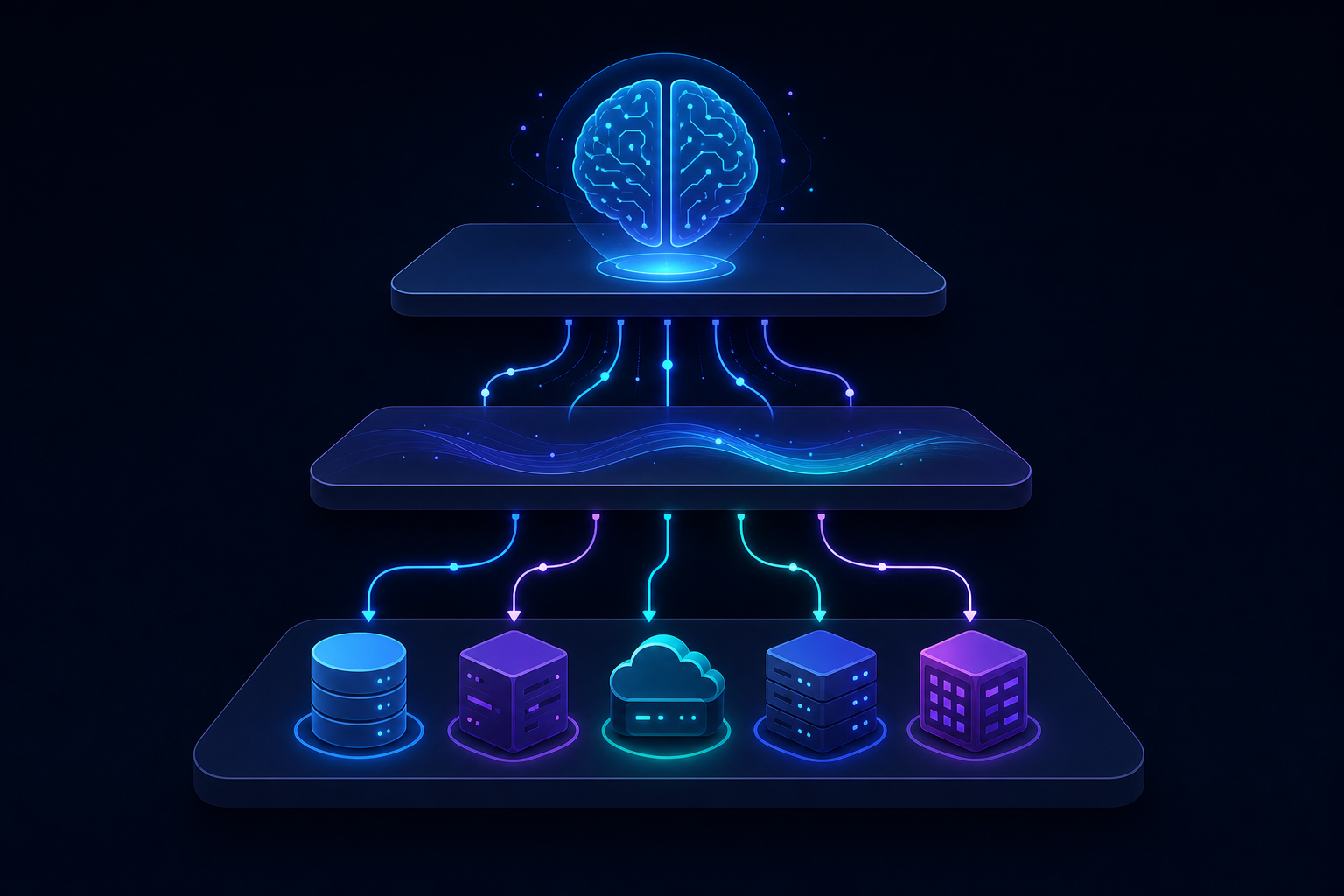
| Layer | Role | Example |
|---|---|---|
| Host | AI app initiating the request | Claude, embedded copilot |
| Client | Manages MCP protocol session | SDK inside your app |
| Server | Exposes tools and data | Your CRM, Notion, Salesforce |
Within the server layer, MCP defines four core primitives:
- Resources are data the agent can read, like records, files, or documents.
- Tools are actions the agent can execute, such as creating a contact or updating an invoice.
- Prompts are reusable instruction templates that shape agent behavior in specific contexts.
- Sampling lets a server ask the LLM a question mid-task, rather than only at the start of execution.
The key takeaway for a product leader: MCP gives your AI features a structured, agreed-upon way to find and act on external systems at runtime, without custom glue code for every connection.
MCP vs. Traditional REST API Integration
MCP sits on top of REST, not in place of it. Your existing API integrations stay put. The distinction is about what's driving the request.
REST works well when the workflow is fixed and predictable. A nightly sync integrating QuickBooks with your SaaS platform into your data warehouse doesn't need an agent querying tools at runtime. It runs on a schedule, hits known endpoints, and finishes. REST is the right call there.
Where REST gets painful is when an AI agent needs to interact with multiple systems dynamically, without you pre-wiring every possible pairing in advance. Each agent-to-tool connection requires custom code, custom auth, custom schema handling. Add a second agent or a third tool and the combinations multiply fast.
MCP solves the runtime discovery problem. An agent can query an MCP server to find what tools are available, then call them, without a custom integration for that specific combination.
A rough decision framework:
- Use REST when the workflow is deterministic and no agent needs to find or choose tools at runtime.
- Use MCP when an AI agent needs to interact with multiple external systems, select tools based on context, or serve many customers through a single integration layer.
- Expect to need both. Most product teams shipping AI features in 2026 are running scheduled data syncs alongside agent-driven workflows at the same time.
What MCP Means for Your Product's Integration Strategy
The integration strategy question used to be straightforward: build REST endpoints, document them, ship SDKs if you're feeling generous. MCP adds a new axis to that decision.
Your customers are running AI agents now. Those agents connect to Salesforce, Notion, Slack, and a growing list of tools through MCP servers. If your product doesn't have one, it's simply not discoverable by those agents at runtime. That's a distribution problem disguised as a technical one.
There are two directions to think about here. The first is exposing your product as an MCP server, so agents your customers already run can find your product's tools and act inside it without a custom connector. The second is consuming MCP servers from your customers' connected tools, so your product can trigger actions in Salesforce or pull live data from Notion as part of an AI-native workflow, much like offering a native CRM integration in your product.
Most product teams will need to pursue both. A narrow integration roadmap that only covers scheduled REST syncs will miss the growing slice of customer workflows that are agent-driven. MCP belongs on your integration roadmap alongside REST, not after it.
MCP Servers as a New Integration Layer for B2B SaaS
Building an MCP server means publishing a discoverable endpoint that tells agents what your product can do, what tools it exposes, and how to call them. That's meaningfully different from documenting a REST API, which requires the calling system to already know what to request. An MCP server lets an agent query capabilities at runtime and compose workflows on the fly.
For a B2B SaaS team, the practical question is scope. A minimal MCP server might expose three or four tools: create a record, update a record, query recent activity. But if your product touches accounting, CRM, or e-commerce data, customers will expect richer coverage fast, and maintaining that server alongside API changes, schema drift, and auth edge cases is real ongoing engineering work.
The build-versus-buy question is worth being direct about. Writing an MCP server from scratch using an open-source SDK is feasible for a focused surface area. Where it gets expensive is connector breadth. If an agent in your customer's workflow needs to pull from Salesforce, push to QuickBooks, and read from Notion in a single task, you're managing auth, schema normalization, and protocol compliance across every system in that chain.
Understanding different iPaaS integration platforms helps here: infrastructure that wraps an existing connector catalog and handles the MCP handshake on your behalf collapses that problem. Your product gets a single authenticated endpoint that already knows what each tenant has connected.
Security and Access Control in MCP Integrations
The NSA's June 2026 advisory on MCP security put it plainly: MCP's rapid proliferation has outpaced its security model. Three risk vectors stand out for product teams to design around before shipping MCP support:

- Prompt injection through malicious tool responses that hijack agent behavior mid-task
- Overly broad OAuth scopes granted by end users, often without IT visibility
- The protocol's server-queries-client inversion, which creates attack paths that traditional API threat models don't cover
The controls aren't exotic. Scoped access tokens per tenant, clear read-only versus read-write tool boundaries, and audit logs of every agent-executed action cover most of the surface area. Teams getting this right treat MCP security as an architecture decision made before launch, not a patch applied after an incident.
Security here is a signal of implementation maturity, not a reason to wait.
How hotglue Approaches MCP Integration
At hotglue, we built our answer to this architecture problem into something we call the Composite MCP. The idea is straightforward: one authenticated MCP endpoint per tenant at mcp.hotglue.com/mcp, with tools namespaced from every connector that tenant has linked. An agent hits a single endpoint, retrieves available tools like notion.search dynamically, and acts across all connected systems without re-running OAuth for each one.
For B2B SaaS teams managing dozens or hundreds of customer tenants, that scoping matters. Each tenant gets their own token, their own tool surface, and their own access boundaries. The agent never sees tools from another customer's connected systems, and you're not rebuilding authentication logic for every new connector. hotglue's unified API schema handles normalization across every system in your catalog.
hotglue also supports MCP-based access token authentication for individual connectors like Notion, and we've shipped an MCP server into our own documentation so developers using Claude or Cursor can query the docs interactively. It's a small thing, but it reflects how we think about the protocol: as infrastructure that should work at every layer of your stack, including the layers beyond what your end customers see.
If your team already runs scheduled sync pipelines through hotglue across accounting, CRM, or e-commerce connectors and you're weighing how to choose the best embedded iPaaS, the Composite MCP sits alongside that without replacing it. Your REST-based syncs keep running. Your agents get a live, tenant-scoped tool surface on top.
Final Thoughts on How MCP Integration Changes B2B SaaS
The shift to agent-driven workflows is already happening in your customers' stacks, and MCP is the protocol those agents are using to find and call external tools. Waiting to form an opinion on this puts your product at risk of missing runtime discoverability. Adding MCP alongside your existing REST syncs doesn't require starting over. Talk to the hotglue team if you want to see what a practical rollout looks like.
FAQ
What are MCP servers and why should B2B SaaS product teams care about them in 2026?
MCP (Model Context Protocol) servers are discoverable endpoints that tell AI agents what your product can do and how to interact with it at runtime, without the calling system needing to know your API in advance. If your product doesn't expose an MCP server, AI agents your customers already run through tools like Claude or Cursor simply can't find or act inside your product. That's a distribution problem as much as a technical one. With 41% of software organizations already running MCP in production and every major vendor from OpenAI to AWS shipping first-party support, this belongs on your integration roadmap now alongside REST, not as a future consideration.
Should my team build an MCP server from scratch or use an embedded integration platform like hotglue?
Building a minimal MCP server using an open-source SDK is feasible if you're exposing three or four tools with a narrow surface area. The cost scales fast once you need real connector breadth. Managing auth, schema normalization, and protocol compliance across Salesforce, QuickBooks, Notion, and a dozen others adds up to months of engineering work. hotglue's Composite MCP collapses that into one authenticated endpoint per tenant at mcp.hotglue.com/mcp, with tools namespaced from every connector that tenant has already linked, so your agents get a live tool surface without rebuilding authentication logic for every new connector you add.
How does MCP integration differ from traditional REST API integration for SaaS products?
MCP sits on top of REST and solves a different problem: runtime tool discovery for AI agents. REST works well for deterministic, scheduled workflows like a nightly QuickBooks sync. The workflow is fixed, the endpoints are known, and no agent needs to choose what to call. MCP handles the cases where an AI agent needs to interact with multiple systems dynamically, select tools based on context, and act across a customer's connected stack without you pre-wiring every combination in advance. Most product teams shipping AI features in 2026 will run both at the same time.
What's the fastest way to add MCP-based AI agent integrations to an existing B2B SaaS product without rebuilding your integration layer?
The fastest path is layering MCP support on top of an existing connector catalog instead of rebuilding from scratch. If you're already running scheduled data syncs through a platform like hotglue across accounting, CRM, or e-commerce connectors, the Composite MCP sits alongside that without replacing it. Your REST-based pipelines keep running and your agents get a tenant-scoped tool surface on top. For teams starting from zero, hotglue can stand up a new connector in one to two weeks from API access, which is a faster turnaround than most in-house engineering teams can match while also maintaining existing product work.
What security controls should product teams put in place before shipping MCP support?
Scoped access tokens per tenant, clear read-only versus read-write tool boundaries, and audit logs of every agent-executed action cover most of the risk surface. The NSA's June 2026 advisory flagged three specific vectors worth designing around before launch: prompt injection through malicious tool responses, overly broad OAuth scopes granted without IT visibility, and the protocol's server-queries-client inversion that traditional API threat models don't account for. Treating MCP security as an architecture decision made before launch, not a patch applied after an incident, is the standard that serious product teams are setting right now.