Most product teams underestimate a Shopify integration at the start and overestimate it six months later when they're deep in quarterly API upgrades and per-tenant sync bugs. The forward order flow is the simple part. What takes real engineering time is everything around it: state management, deduplication, schema variation, and the hidden cost of maintaining it all across a growing customer base. This is a look at where those problems actually live.
TLDR:
- Shopify's REST Admin API is legacy as of 2024; all new public apps require GraphQL since April 2025
- The Shopify-QuickBooks pairing breaks most often around order duplication, tax mapping, and multi-currency
- Building in-house wins at week one, but quarterly API version cycles make third-party layers cheaper over time
- Amazon-Shopify sync requires real-time inventory writes, SKU translation, and bidirectional returns to work reliably
- hotglue handles per-tenant Shopify sync with open-source connectors your team can fork when a customer's config deviates from defaults
What a Shopify Integration Actually Is
"Shopify integration" means different things depending on who's asking. A merchant might mean an app from the Shopify App Store. A developer might mean a direct API connection. A product team at a B2B SaaS company almost always means something else: building a native integration so their customers can sync Shopify data with their own product.
The three approaches break down like this:
- App Store apps: pre-built, merchant-installed, lives inside Shopify's ecosystem
- Direct API connections: your system calls Shopify's API directly, no intermediary
- Embedded integrations: your SaaS product offers Shopify as a native connection option for your customers
Most of the complexity in this article lives in that third category. The API mechanics overlap, but the architectural decisions, the maintenance burden, and the customer experience requirements are entirely different from the other two.
Shopify's Data Model: What You Need to Know Before Building
Shopify organizes its data around a handful of core objects: orders, products, customers, and inventory. If your integration touches any of these, you'll get far on the standard API resources. But the moment a merchant has customized their store, you're going to run into metafields and metaobjects.
Metafields let merchants attach custom data to standard Shopify resources. A furniture store might add dimensions to a product; a B2B store might store wholesale pricing on a customer record. Your integration needs to account for these, because Shopify's data model can be extended in ways that aren't visible from the standard schema alone.
Metaobjects go further: they're fully custom data types a merchant defines themselves, similar to adding a new table in a relational database. A naive integration will drop that data entirely.
A few things to account for before you write a single line of integration code:
- Metafield namespaces and keys vary per store, so you can't hardcode field names
- Metaobjects require schema discovery before you can map them reliably
- Custom data is only accessible via GraphQL, not REST
The Shopify API Overview: REST vs. GraphQL
Shopify officially designated its REST Admin API as a legacy API as of October 1, 2024. Since April 1, 2025, all new public apps must be built exclusively with the GraphQL Admin API. If your integration was built before 2025 and relies on REST, you're on borrowed time.
GraphQL lets you fetch exactly the fields you need in a single request, while REST returns fixed resource shapes that often over-fetch data. For high-volume integrations polling orders or inventory, that distinction affects both performance and rate limit consumption.
Key things to account for when assessing or rebuilding:
- Some newer Shopify features are only available in GraphQL, not REST.
- Rate limiting logic differs between the two APIs, so connector behavior may change post-migration.
- Custom data like metafields and metaobjects require GraphQL regardless of what the rest of your connector uses.
If your integration vendor still relies on REST endpoints, that's worth asking about directly.
Common Types of Shopify Integrations
The table below maps the most common Shopify integration categories to the systems involved and what each connection actually does.
| Category | Common Systems | What It Does |
|---|---|---|
| Accounting | QuickBooks, NetSuite, Xero | Syncs orders, refunds, and fees to your general ledger |
| ERP | Dynamics 365, Acumatica, Sage | Ties Shopify to inventory, purchasing, and fulfillment ops |
| CRM | Salesforce, HubSpot | Pushes customer and order data into sales and support workflows |
| Marketplaces | Amazon Vendor Central, TikTok Shop, Faire | Syncs listings, inventory, and orders across sales channels |
| Inventory | Linnworks, Fishbowl | Centralizes stock levels across warehouse and storefront |
| Marketing | Mailchimp, Klaviyo | Segments customers based on purchase history |
| Payments | Stripe, Airwallex | Matches payment data against Shopify transaction records |
Each category carries different sync requirements. Accounting integrations need historical order data on initial load, then incremental updates as new orders close. Marketplace integrations need near-real-time inventory writes to prevent overselling. CRM integrations often need bidirectional sync, since reps update records on both sides.
Accounting causes the most production pain for product teams because financial data has zero tolerance for duplication or missed records.
Shopify and QuickBooks Integration: Where It Gets Complicated
The Shopify-QuickBooks pairing is one of the most requested integrations in e-commerce and one of the most frequently broken. In January 2026, a forced QuickBooks Connector update left hundreds of Shopify sellers watching orders fail to sync, customer records vanish, and financial reports show $25,000+ discrepancies.
The recurring failure points tend to cluster around the same issues:
- Order duplication when sync jobs retry after a partial failure
- Tax line mapping mismatches between Shopify's tax model and QuickBooks accounts
- COGS calculations breaking when inventory is not tracked in both systems
- Multi-currency orders landing in the wrong QuickBooks currency account
QuickBooks Desktop adds another layer. Unlike QuickBooks Online's REST API, Desktop requires a Windows agent and the QuickBooks Web Connector to bridge data. Most connector solutions skip Desktop entirely, which matters for product teams whose customers run older accounting setups common in manufacturing, wholesale, and construction verticals.
Native app-store connectors handle the simple case well enough. Where they break is any variation from defaults: custom tax codes, Shopify B2B orders, or a merchant using a third-party subscription app like Loop alongside standard orders.
Shopify and Amazon Integration: Multichannel Sync Challenges
Inventory is the first thing that breaks. When a sale happens on Amazon, the stock decrement has to reach Shopify before another buyer checks out there. That window, even seconds, is enough to oversell.
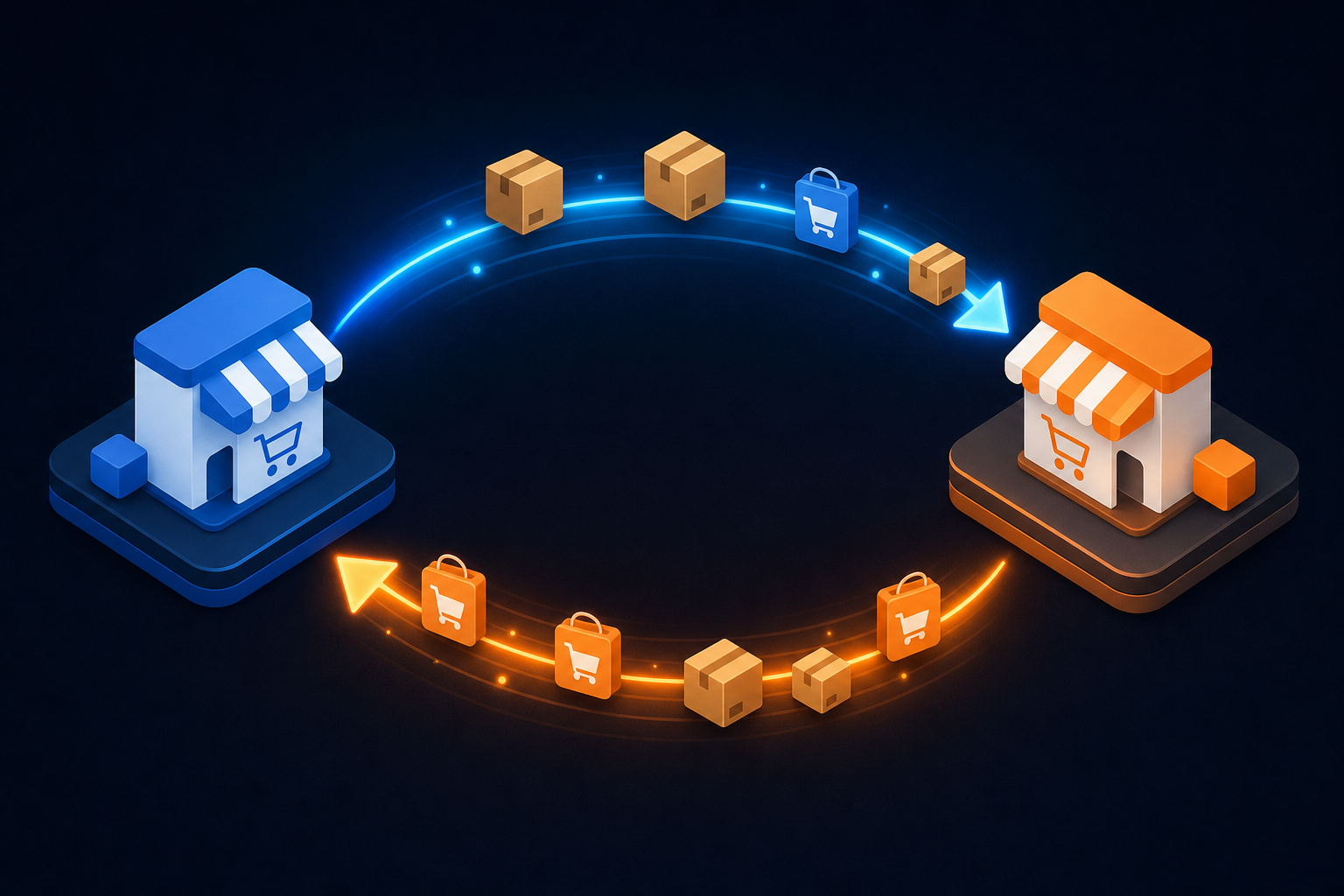
Order routing creates a separate headache. If you use Fulfillment by Amazon (FBA) for Amazon orders but Shopify's native fulfillment for your storefront, the two systems need to agree on which orders go where. Any mismatch means duplicate fulfillment attempts or orders that fall through entirely.
SKU mapping is where the quiet failures live. Amazon uses ASINs; Shopify uses its own product and variant IDs. Merchants who've restructured their catalog mid-integration often find that mapping breaks silently, routing orders to the wrong SKU or dropping them.
Returns compound all of this. A return processed through Amazon doesn't automatically restock Shopify, and vice versa. Without explicit reverse-sync logic, inventory counts drift until a physical count reveals the gap.
Product teams building this for customers should account for all four: real-time inventory writes, order routing rules per fulfillment method, persistent SKU translation, and bidirectional returns sync. Any connector that only handles the forward order flow is half an integration.
Shopify App Development vs. Direct API Integration
Two paths exist for connecting your system to Shopify, and they serve different goals.
A Shopify App lives in the App Store, goes through Shopify's review process, and gets distributed to merchants directly. You handle OAuth, manage scopes, pass Shopify's submission requirements, and maintain compatibility with their quarterly API versioning cycle. For ISVs building merchant-facing tools, this is the right path.
Direct API integration skips the App Store entirely. Your system authenticates via a custom app installed on specific stores, calls the Admin API, and syncs data on your schedule. No review process, no listing requirements, no Shopify billing API constraints.
For B2B SaaS teams, the decision usually comes down to distribution. If your customers are installing your connector on their own Shopify stores, you need a reliable Admin API connection with proper OAuth handling, PKCE support where required, and a maintenance plan for quarterly API version upgrades.
App Store development makes sense when you're building for broad merchant distribution. Direct integration makes sense when you're embedding Shopify as a connector inside your own product. Conflating the two leads to over-engineered solutions for simple use cases, or under-built ones for complex ones.
Embedding Shopify Integration Inside a SaaS Product
When your customers connect their Shopify stores from inside your product, you're building an embedded integration, and the requirements are different from a standard Shopify app.
The core problems to solve:
- Authentication delegation: each customer authenticates their own Shopify store, and you store credentials per tenant without commingling access
- Per-tenant data isolation: one customer's order data never touches another's pipeline
- UI embedding: either a widget inside your product or a Magic Link that handles auth without requiring your team to build the connection UI
- Schema translation: Shopify's data model maps to your product's data model, not the other way around
That last point is where most teams underestimate the work. Shopify returns orders with line items, discounts, and tax lines in its own structure. Your product almost certainly expects something different. The transformation layer needs to handle edge cases per customer, because merchants customize heavily.
Build vs. Buy: Comparing Shopify Integration Approaches
The straightforward answer is that in-house usually wins on paper and loses over time.
Building your own Shopify connector gives you full control over data shape, sync frequency, and error handling. For a single use case with a stable data model, that's a reasonable call. The problem is that Shopify releases new API versions quarterly, deprecates endpoints, and occasionally forces migrations with real deadlines. Each of those events is a maintenance ticket your engineering team owns indefinitely.
The hidden costs add up fast:
- API version upgrades run quarterly, with roughly 12-month support windows before deprecation hits
- Schema changes land whenever Shopify restructures objects
- Connector rebuilds happen when customers use third-party Shopify apps like Loop Subscriptions that alter the data shape
- Per-tenant metafield variation requires custom handling for each customer
Third-party integration layers shift that burden off your team, but the tradeoffs depend on which approach you pick. Embedded iPaaS tools like hotglue give you open-source connectors with full code visibility, so you're not locked into a black box when something breaks. Unified API abstractions trade flexibility for convenience. App Store connectors work until a customer deviates from defaults.
| Scenario | Lean toward |
|---|---|
| One integration, stable requirements | Build in-house |
| Multiple connectors, recurring customer requests | Third-party embedded layer |
| Broad merchant distribution via App Store | Shopify-native app development |
| Deep per-tenant customization required | Embedded iPaaS with open connectors |
The factor most teams miscalculate is velocity over time. In-house builds are fastest at week one. Twelve months in, once you're maintaining five connectors across twenty customers with varying configurations, the math usually reverses.
How Shopify Integration Works at Scale: Data Sync Architecture
At small scale, polling Shopify every hour works fine. At scale, it breaks in predictable ways.
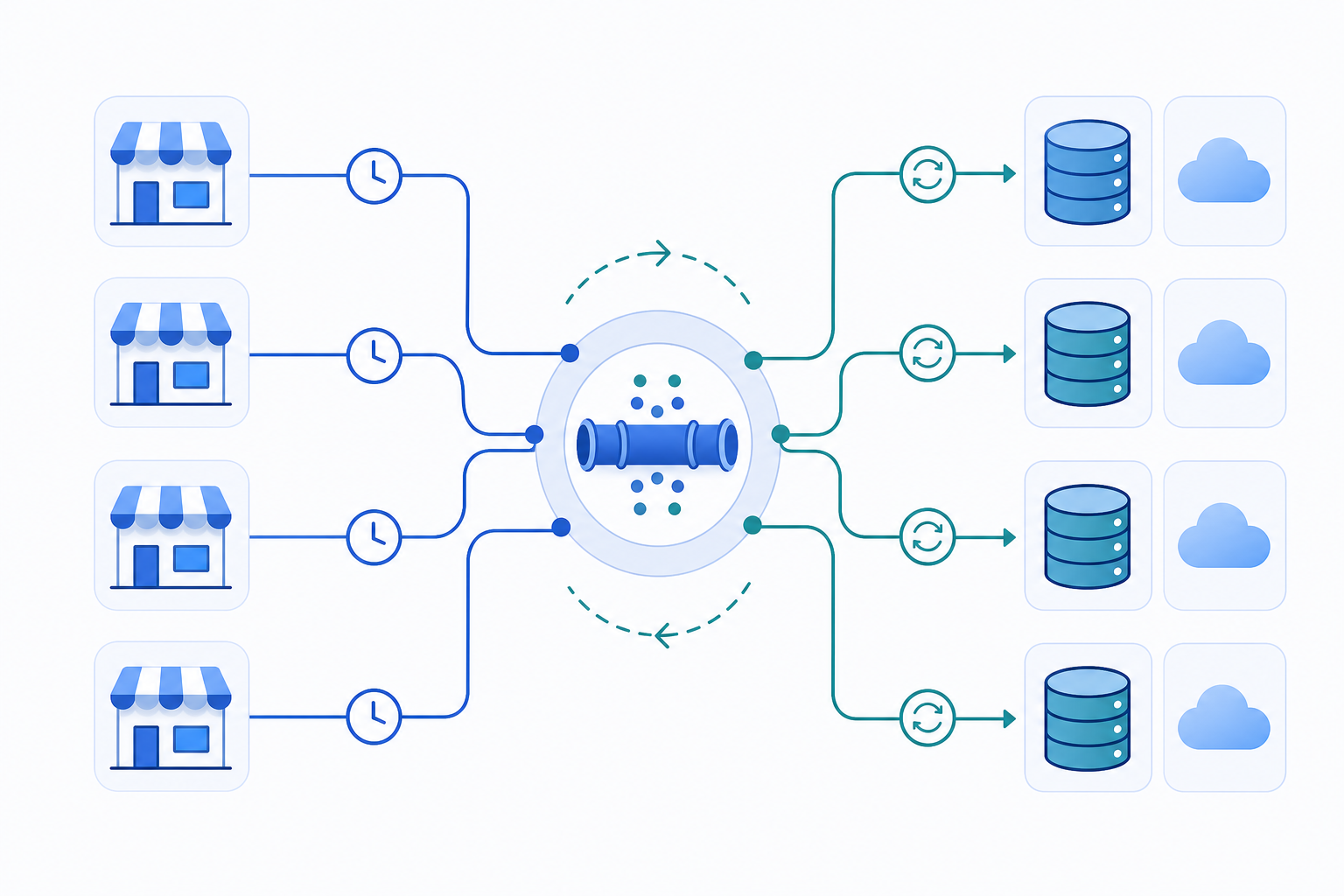
A few architectural decisions that matter early:
- Incremental vs. full sync: full syncs are expensive and slow for high-order-volume stores; incremental requires reliable cursor state per tenant
- Webhooks vs. scheduled polling: webhooks are faster but require retry handling for missed deliveries; polling is simpler but burns rate limit budget
- Stateful sync: without snapshots of prior sync state, partial failures can cause duplicate records or silent data gaps on retry
Shopify's REST rate limits cap requests per minute, and GraphQL uses a cost-based bucket model. Both require backoff logic at scale, especially for initial historical loads across many tenants running simultaneously.
The hardest part is partial failure. A sync that processes 800 of 1,000 orders before hitting an error needs to resume from order 801, not restart from zero. Without that guarantee, your customers see duplicate invoices, double-posted journal entries, or inventory counts that drift silently.
How hotglue Powers Shopify Integrations for B2B SaaS Teams
hotglue's Shopify connector handles the architecture problems covered throughout this article: bidirectional sync, cron-based scheduling configurable per tenant, multi-field record matching and deduplication, and SOC 2 Type II compliant data handling where data is processed and delivered without being stored.
For product teams still weighing build vs. buy, the open-source connector model is worth understanding. hotglue's connectors are Singer and Airbyte YAML compatible, which gives your engineering team full codebase visibility and the ability to fork or extend any connector when a customer's Shopify configuration deviates from defaults. No black box, no support ticket required.
The infrastructure handles scale that growing B2B SaaS products eventually hit: 38,000 active tenants and roughly 10 billion records processed weekly. Linnworks uses hotglue to power their Faire marketplace integration with order, inventory, and fulfillment sync, which mirrors exactly the multichannel architecture challenges covered in the Amazon section above.
If your team is ready to stop rebuilding Shopify connectors every time Shopify ships a quarterly API version, hotglue.com is where to start.
Final Thoughts on Shopify Integration Approaches for Product Teams
Most Shopify integration decisions look simple early and get expensive later. The architecture choices you make around sync state, GraphQL migration, and per-tenant data variation will determine how much engineering time you spend on connectors versus your core product. See how hotglue approaches this if your team is still figuring out where the line between build and buy makes sense.
FAQ
Should a B2B SaaS product team build a Shopify integration in-house or use an embedded iPaaS like Hotglue?
In-house builds work for a single, stable integration, but the math changes fast once you're maintaining multiple connectors across customers with different Shopify configurations. Shopify ships quarterly API version updates with roughly 12-month deprecation windows, and each one is a maintenance ticket your engineering team owns indefinitely. An embedded iPaaS like hotglue moves that ongoing burden off your team while giving you open-source connectors you can inspect and extend, so you're not trading control for convenience.
What's the difference between Shopify REST API and the Shopify GraphQL Admin API for integration builds?
Shopify designated its REST Admin API as a legacy API in October 2024, and all new public apps have been required to use the GraphQL Admin API since April 2025. Beyond the deprecation timeline, GraphQL lets you fetch exactly the fields you need in a single request, while REST over-fetches fixed resource shapes, which is a real difference in rate limit consumption at high order volumes. Custom data like metafields and metaobjects are only accessible via GraphQL regardless of what the rest of your connector uses, so any integration touching merchant-customized stores needs to be on GraphQL.
How should our team handle Shopify-to-QuickBooks sync without creating duplicate records?
The most reliable approach combines stateful cursor tracking with partial-failure recovery: your sync job needs to resume from the last successful record instead of restarting from scratch after an error. Tax line mapping and COGS calculations are where most Shopify-QuickBooks integrations break silently, especially when merchants use third-party apps like Loop Subscriptions that alter Shopify's order structure. QuickBooks Desktop adds another layer since it requires a Windows agent and the QuickBooks Web Connector instead of a REST API, which most off-the-shelf connectors skip entirely.
What's the fastest way for our product team to ship a production-ready Shopify integration for customers in 2026?
The fastest path for teams beyond a single integration use case is an embedded iPaaS with an existing Shopify connector and open-source codebase visibility: you get the sync architecture, per-tenant auth handling, and schema translation layer without rebuilding them from scratch. Building in-house is fastest at week one; twelve months in, once you're supporting five connectors across twenty customers with varying Shopify configurations, the velocity gap reverses quickly. The connectors that hold up in production are the ones with bidirectional sync, cron-based scheduling per tenant, and deduplication logic built in, not bare wrappers around the raw Shopify API.
Can you integrate Shopify with Amazon and keep inventory counts accurate across both channels?
Yes, but it requires four specific sync behaviors running in parallel: real-time inventory writes when a sale hits either channel, order routing rules per fulfillment method (FBA vs. Shopify fulfillment), persistent SKU translation between Amazon ASINs and Shopify variant IDs, and bidirectional returns sync so restocks flow both directions. Any connector that only handles the forward order flow will let inventory counts drift silently until a physical count surfaces the gap. SKU mapping breaks are especially common after merchants restructure their catalog mid-integration, so the translation layer needs to be persistent and maintained per customer.