If you're a CPO or Head of Partnerships at a B2B SaaS company, you've probably heard some version of this request: "Can we just show our Google Analytics data inside the product?" Simple question. Surprisingly non-trivial answer.
Syncing the pages stream and wiring up custom report definitions per tenant gets you there, but the gap between a working proof of concept and something your customers will actually trust is wider than the API docs make it look. Your product and engineering teams find that out the hard way, and the CPO or Head of Partnerships gets to explain why it's taking longer than expected.
TLDR:
- Use OAuth 2.0 for multi-tenant GA4 integrations; service accounts require manual setup per customer property
- Pull the pages stream with
pagePathandpageTitledimensions; usepagePathPlusQueryStringif your app uses query strings - Store last sync date per tenant and exclude today's data to avoid GA4's 24-48 hour processing lag
- Check
subjectToThresholdingandsamplingMetadatasin every API response or your customers will see silently incomplete numbers - Hotglue's Google Analytics connector manages API rate limiting and preserves sync state on failure, so SaaS teams don't build that plumbing themselves
What the Google Analytics Data API Actually Does
The GA4 Data API is Google's programmatic interface for querying analytics data stored in a GA4 property. Where Universal Analytics organized data around sessions, GA4 is event-based: every user interaction is an event, and everything else (page views, purchases, form submissions) is just a specific event type with attached parameters.
The API exposes a few core endpoints worth knowing:
runReportqueries a single report with dimensions, metrics, and filters you definebatchRunReportscombines up to five report requests in one call, cutting down on round tripsrunRealtimeReportpulls data from the last 30 minutes, useful for live dashboards
Custom report definitions let you construct queries from scratch, mixing dimensions like pagePath and sessionSource with metrics like sessions or engagedSessions in ways the GA4 UI may not expose natively. For SaaS products that want to surface customer-specific analytics inside their own app, that flexibility is the whole point.
Authentication: Service Accounts vs. OAuth 2.0
Two options exist for authenticating against the GA4 Data API, and picking the wrong one creates real headaches at scale.
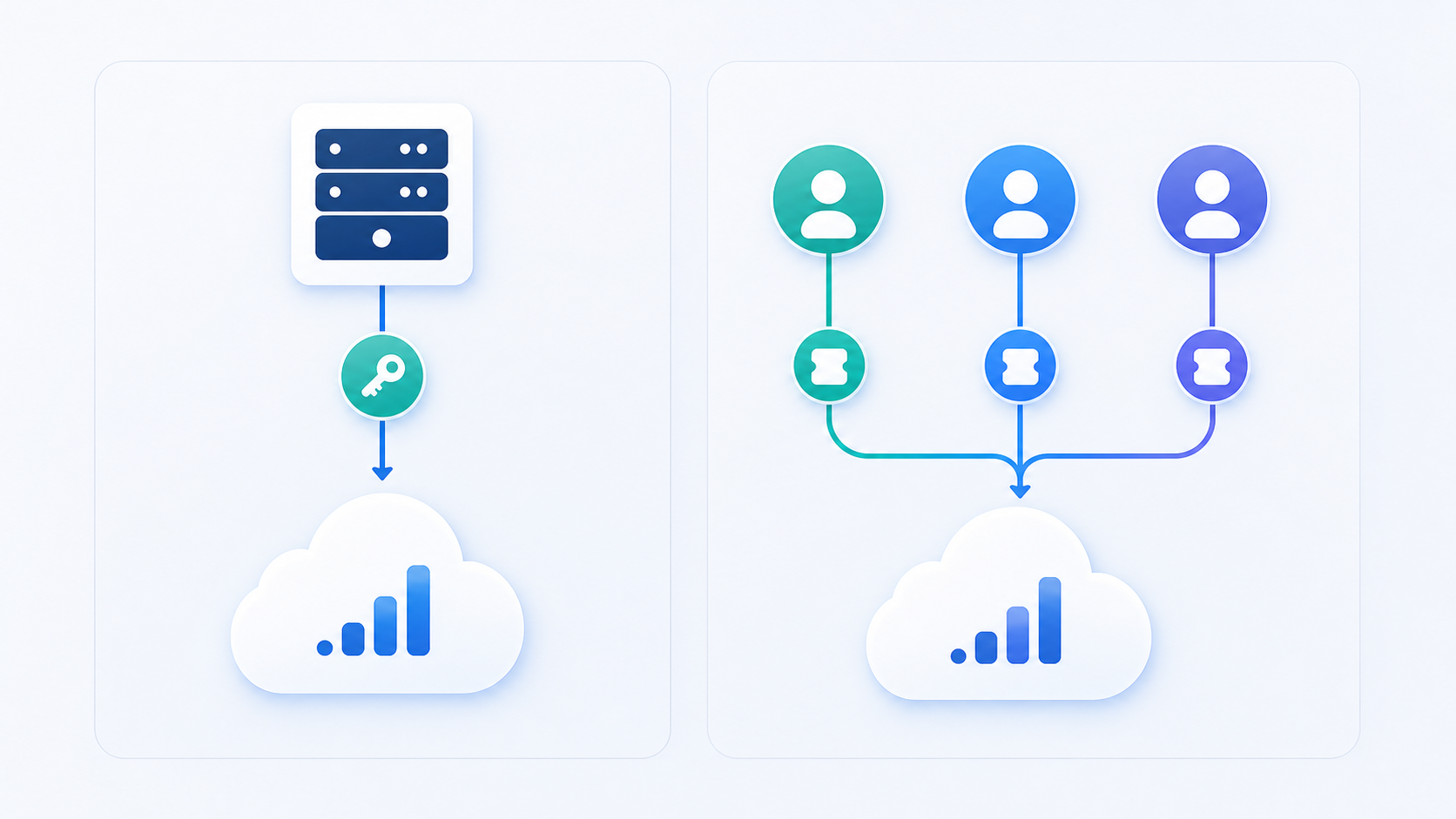
| Factor | Service Accounts | OAuth 2.0 |
|---|---|---|
| Credentials | Single server-side key managed by your team | Per-tenant access token scoped to analytics.readonly |
| Customer setup required | Customer must manually add the service account email in GA4 admin | Customer logs in and consents via a standard OAuth consent screen |
| User consent screen | Not required | Required |
| Multi-tenant fit | Awkward; shared credentials across properties | Natural fit; each customer authorizes their own property |
| Best for | Internal tools or single-property setups | Multi-tenant SaaS products with many customer properties |
Service accounts work well when your customer grants your Google Cloud project viewer access to their GA4 property. You handle a single set of credentials server-side, no user consent screen required. The catch: your customer must manually add the service account email as a property user in GA4 admin settings.
With OAuth 2.0, the user logs in, consents, and your app receives an access token scoped to https://www.googleapis.com/auth/analytics.readonly. For multi-tenant SaaS products, this is almost always the right path since each customer authorizes their own property directly.
If you're newer to the embedded integration space, it helps to first understand what iPaaS actually is. Either way, you need a Google Cloud project with the Analytics Data API activated before credentials mean anything.
The Pages Stream: What It Contains and How to Pull It
The pages stream is built around two core dimensions: pagePath (the URL path, e.g. /pricing) and pageTitle (the HTML title of the page). Pair those with metrics like screenPageViews, entrances, exits, averageSessionDuration, and bounceRate, and you get a solid picture of how users move through a product or site.
A basic runReport request looks like this:
The response comes back as a row/column matrix, where each row maps to a unique pagePath + pageTitle combination with metric values in positional order. GA4 does not return zero rows by default, so pages with no activity in your date range simply won't appear.
One thing that catches developers off guard: pagePath strips query parameters by default. If your SaaS app uses query strings to distinguish between views (e.g. /dashboard?tab=reports), use pagePathPlusQueryString instead to preserve the full path.
Custom Report Definitions: Moving Beyond Preset Reports
GA4's built-in report layouts work fine for general marketing analysis. For SaaS products that want to surface customer-specific analytics inside their own UI, they fall short fast.
A custom report definition is a structured query you construct yourself via runReport or batchRunReports. You pick the dimensions, metrics, filters, ordering, and date ranges, similar in spirit to per-job filter overrides in ETL pipelines. Nothing is preset, and you are not limited to the combinations GA4 surfaces in its native interface.
Here is an example that segments traffic by source and page path, filtered to a specific subdirectory:
Saved UI reports in GA4 are static configurations tied to that property's interface. Programmatic definitions live in your code, are parameterized per tenant, and can be adjusted at runtime without any GA4 admin access. For a SaaS product surfacing analytics per customer, you can scope every query to that customer's relevant paths, swap date ranges dynamically, and order results by whatever metric your product cares about.
Incremental Syncs and State Management at Scale
Full historical re-pulls are expensive, quota-hungry, and mostly pointless after your initial backfill. The pattern that actually works is date-range batching with persisted state.
Store the last successful sync date per tenant. On each run, request only the date range from that checkpoint to yesterday (GA4 standard reports carry a 24-48 hour data lag, so today's data is incomplete and should be excluded). A simple state record looks like { "tenant_id": "abc123", "last_synced_date": "2026-10-14" }. On the next run, start from 2026-10-15.
In a multi-tenant deployment, this compounds fast. Managing 500 customer GA4 properties where each daily sync covers a single day means 500 API calls per cycle instead of 500 calls multiplied by however many days of history you keep re-fetching. That reduction in API usage directly affects integration pricing and retention at scale. The quota savings are real.
One edge case worth handling: GA4 data carries a 24-48 hour processing lag, so recent days can still shift after you first pull them. If precision matters, re-pull the last three days on every sync instead of limiting it to strictly the new window. It costs a few extra API calls per tenant but protects against ingesting stale aggregates that GA4 later corrects.
Rate Limits, Quotas, and What Happens When You Hit Them
The GA4 Data API enforces quota at the property level: 200,000 tokens per day and 40,000 tokens per hour, with each request consuming tokens based on the dimensions and metrics involved. In a multi-tenant SaaS product querying dozens of customer properties on the same schedule, hourly limits can disappear faster than you'd expect.
When quota runs out, the API returns a 429 RESOURCE_EXHAUSTED error with a QuotaFailure detail in the response body. The quotaFailures field identifies which bucket was exceeded. Daily exhaustion means waiting until midnight Pacific; hourly means up to 60 minutes. (Nothing quite like explaining to a customer why their dashboard is empty at 11 PM because of a quota bucket reset.)
There are two practical ways to handle this well:
- Exponential backoff with jitter on every
429response: wait, then retry with a progressively longer delay. Spreading tenant syncs across time windows instead of batching them at the same clock tick avoids the hourly spike problem entirely. batchRunReportsconsolidates up to five report requests into a single API call, reducing quota consumption compared to firing each request separately. For tenants with complex custom report definitions, batching is worth building in from day one.
Google's official GA4 Data API quota documentation covers quota mechanics in detail if you want the full picture.
Data Sampling and Thresholding: A Silent Source of Inaccuracy
GA4 applies data thresholding when Google Signals is active, and it does so quietly. The API returns a 200 with a subjectToThresholding flag buried in the response metadata. If you are not checking for it, you will surface numbers to your customers that are silently incomplete.
Thresholding kicks in when a report includes dimensions that could expose individual user identity. GA4 withholds rows that don't meet a minimum user count threshold, so filtered or segmented views drop data without warning.
Sampling is a separate issue. GA4 standard properties sample data when a query spans large date ranges with high event volume. The samplingMetadatas field in the API response tells you the fraction of events used. A 68% sample rate quietly embedded in your product UI is not a great look.
Two mitigations that actually work:
- Narrow date ranges and paginate results instead of pulling wide windows in single requests, which keeps queries within GA4's unsampled thresholds.
- Reduce the number of dimensions per query, since fewer dimensions lowers the chance of hitting thresholding on low-traffic segments.
For SaaS teams embedding GA4 data inside their own product, surface these flags to your users. If subjectToThresholding is true or sampling falls below a reasonable threshold, say so explicitly. A small disclaimer next to the chart is far better than a customer spotting the discrepancy themselves.
Embedding GA4 Data Inside Your SaaS Product: Architecture Decisions
Querying the GA4 API live on every page load is tempting but breaks fast. Latency alone is a problem, and quota consumption per tenant compounds it. This is really a webhook vs. scheduled sync decision, and the better default is a scheduled sync that writes GA4 data into your own data store, then your product reads from there. Your users get fast load times, you control the data shape, and you are not burning quota on every dashboard view.
Real-time queries do make sense in narrow cases, like a live visitor count widget where a 30-minute lag genuinely matters. For page performance reports, traffic trends, or anything session-based, cached data wins every time.
Multi-tenant property management is where the architecture gets genuinely complicated. Each customer has their own GA4 property ID, their own OAuth token, and their own quota bucket. Your sync scheduler needs to treat each tenant independently, track state per property, and handle auth failures without cascading across other customers. A single bad token should not stall the queue.
On data modeling, GA4's row/column matrix output rarely maps cleanly onto your product's existing objects. A page record in your system probably has fields your product cares about, like owner, section, and content type, that GA4 knows nothing about. Build a joining layer that merges GA4 metrics onto your internal page objects by pagePath instead of exposing raw GA4 rows directly to your UI. This is a field mapping problem any team embedding third-party data will eventually run into.
Error Handling and Sync Reliability for Production Deployments
Silent failures are the worst kind. A sync that errors out and stops is recoverable. A sync that completes with missing data and no indication anything went wrong will erode customer trust before anyone notices.
The GA4 Data API returns structured error codes you can act on distinctly. 403 PERMISSION_DENIED means the token or service account no longer has access to that property. 404 NOT_FOUND usually means the property ID is wrong or was deleted. 429 RESOURCE_EXHAUSTED is quota. 500 and 503 are transient Google-side failures that almost always resolve on retry. That shifting behavior is what makes connector maintenance after API changes an ongoing job and not a one-time build. Treating all of these as the same "sync failed" state is a mistake, since each requires a different response.
Structure your error handling around intent:
- Quota errors: back off and retry within the window instead of hammering the API until you hit a hard block.
- Permission errors: flag the tenant for re-auth, notify the user, and stop retrying automatically until they act.
- Property-not-found: mark the connection invalid and surface it to the user explicitly so they know something needs attention.
- Transient errors: retry with exponential backoff, up to a reasonable ceiling before alerting.
For end-user visibility, the worst pattern is a silent red dot somewhere in settings. If a customer's GA4 connection breaks, tell them why and what to do. "Your Google Analytics connection lost access. Reconnect your account to resume syncing." is far more useful than "Integration error."
How hotglue Powers Google Analytics Connector Integrations for SaaS Teams
Hotglue's Google Analytics connector handles the infrastructure described throughout this post so your team does not have to build it from scratch, sidestepping the real cost of maintaining integrations in-house.
The connector supports a pages stream and custom report definitions, letting SaaS teams pull page-level analytics and construct tenant-scoped queries beyond GA4's default stream set. Hotglue manages API rate limiting on your behalf, so you don't have to engineer around quota constraints yourself.
On reliability: a partial sync failure will never silently succeed. Either all data lands, or the job fails and preserves state for retry. You are not left debugging why a customer's dashboard is quietly missing three days of rows.
Scheduling is cron-based and configurable per connector. The Python transformation layer lets you shape GA4's row/column matrix output into whatever schema your product expects before it hits your database, which is exactly the kind of flexibility worth weighing when choosing an embedded iPaaS solution.
Hotglue processes approximately 10 billion records weekly across 38,000+ active tenants. The Google Analytics connector runs in that same production environment, so you're not a guinea pig. You're inheriting infrastructure that already runs at scale.
For CPOs and Heads of Partnerships weighing build versus buy, that means a shorter route from "we need GA4 data in the product" to a production-ready, multi-tenant integration. Book a demo with the hotglue team to see exactly how it slots into your architecture.
Final thoughts on Pulling Google Analytics Data Into Your Own Product
- Why it matters: Your customers expect to see their analytics inside your product, and every week that gap stays open is a week a competitor can fill it.
- What the problem is: The GA4 Data API is powerful, but the real complexity lives in the infrastructure: multi-tenant auth, incremental sync state, quota limits, and making sure customers never see silently incomplete numbers.
- Who owns it: The CPO and Head of Partnerships prioritize it, and the product and engineering team executes it.
- How to solve it: Build incrementally: OAuth for auth, date-range batching for syncs, and explicit handling of thresholding and sampling flags.
- Why hotglue: Hotglue's Google Analytics connector manages API rate limiting and preserves sync state on failure, so your engineers aren't stuck building that plumbing. It runs on infrastructure serving 38,000+ active tenants and roughly 10 billion records weekly.
If you'd rather ship the feature than build the plumbing, book a demo with the hotglue team.
FAQ
How do you scope a Google Analytics custom reports sync to individual customer properties in a multi-tenant SaaS product?
Each tenant gets their own OAuth token and GA4 property ID, so every query runs against that customer's property independently. Build your report definitions as parameterized templates: swap in the tenant's pagePath prefixes, date ranges, and relevant metrics at runtime, then store sync state per property so one tenant's quota exhaustion or auth failure never touches another's.
What happens when GA4 silently thresholds or samples data returned through the API?
GA4 returns a 200 status even when data is incomplete, with flags like subjectToThresholding and samplingMetadatas buried in the response. Check for these on every response and surface a clear disclaimer to your users when they're present. A small note next to the chart beats a customer finding the discrepancy themselves.
How does Hotglue handle GA4 API rate limits and partial sync failures across thousands of tenants?
Hotglue manages API rate limiting so your team does not have to engineer around it. A partial sync failure will never silently succeed: the job either delivers all data or fails cleanly and preserves state for retry, which means you are never left debugging why a customer's dashboard is quietly missing rows.
Can I pull GA4 page-level analytics and custom report definitions into my SaaS product without building the sync infrastructure myself?
Yes. Hotglue's Google Analytics connector supports both the pages stream and custom report definitions out of the box, running in the same production environment described above. You get cron-based scheduling per connector and a Python transformation layer to reshape GA4's row/column output into whatever schema your product expects.
What is the right architecture for embedding Google Analytics data inside a B2B SaaS product?
Cache GA4 data on a scheduled sync into your own data store, then serve your product UI from there. Live API queries on every page load burn quota fast and add latency your users will notice. Reserve real-time runRealtimeReport calls for narrow cases like live visitor counts, and build a joining layer that merges GA4 metrics onto your internal page objects by pagePath so your product controls the data shape.