Most product teams don't realize they've walked into a maintenance trap until the CRM integration is already live. The first connector works fine in staging, but real customers have custom Salesforce objects, non-standard HubSpot pipelines, and sync states that break in ways you never tested for, usually on a Friday afternoon. Here's how to think through adding CRM integrations to your SaaS product without rebuilding the wheel every time an API version gets deprecated.
TLDR:
- 84% of businesses call integrations a "key requirement," and missing CRM connectors directly lose deals and accelerate churn
- Building in-house means your engineers own API versioning, per-tenant schema drift, and token refresh cycles indefinitely
- Ship Salesforce and HubSpot read-only connectors first against standard objects, then expand scope based on actual customer demand
- Bidirectional sync requires deterministic conflict resolution rules and multi-field record matching, or you get silent data overwrites at scale
- hotglue ships pre-built Salesforce and HubSpot connectors with open-source code your team can extend for custom objects and non-standard schemas
What Customer-Facing CRM Integrations Actually Are
Customer-facing CRM integrations let your end users connect their own CRM, say Salesforce or HubSpot, directly inside your product. The user authenticates, grants access, and their data flows into your system. You own the experience. They supply the credentials.
This is different from your company hooking up its own Salesforce account for your sales team. That's an internal integration, an IT problem. Customer-facing integrations are a product problem, and the distinction matters more than most teams realize early on.
"Native" means the integration lives inside your product's UI, not behind a third-party tool the user has to find, configure, and babysit separately. No redirecting users to Zapier. No exporting CSVs. The connection happens where they already work.
Why Your Customers Are Asking for CRM Connectors
CRM is where B2B revenue data actually lives. Contacts, deal stages, account history, activity logs: your customers have spent years building that data in Salesforce or HubSpot, and they expect your product to work with it, not around it.
When the connection is missing, users resort to manual exports, copy-pasting between tabs, or abandoning your product for something that fits their stack. That last outcome is the expensive one. According to research compiled by PartnerFleet, 84% of businesses say integrations are "very important" or a "key requirement," and integrations rank as the #1 buyer consideration for CRM-adjacent software categories.
For product leaders, the framing is simple: if your buyers already run their business in a CRM, your product either connects to it or creates friction. Friction loses deals and accelerates churn, and SaaS integrations can help sales teams close more of them.
The Build-From-Scratch Trap: What In-House CRM Integrations Actually Cost
The initial build feels like the hard part. It rarely is. (The hard part is explaining to your CEO why the Salesforce connector that "just needed a week" is now a three-engineer project in month four.)
Getting a Salesforce connector working in your dev environment takes weeks. Keeping it working across API versions, schema changes, and edge cases per customer takes engineers indefinitely. Salesforce and HubSpot both version their APIs regularly, and every major update is a potential breakage waiting to surface in a customer's sync at the worst possible moment.
There's also the per-customer variation problem. One customer uses standard Salesforce objects. Another has a heavily customized instance with renamed fields and custom modules. A third runs HubSpot with a non-standard pipeline setup. Each variation requires its own mapping logic, and that work compounds fast.
As noted by Knit, top SaaS companies maintain an average of 350+ integrations. Nobody builds that catalog in-house without a dedicated team, and even then, maintenance starts eating the roadmap. Each connector you ship is a recurring obligation, not a closed ticket.
The real cost is the engineering hours that never make it back to your core product.
Core Technical Requirements of a Customer-Facing CRM Integration
Four things have to be solved properly when shipping a CRM integration that works across hundreds of customers in production, beyond what passes in a demo.
- Multi-tenant authentication: every customer authenticates their own CRM instance. OAuth tokens expire, scopes drift, and credentials must be stored, refreshed, and scoped per tenant without cross-contamination.
- Per-customer schema variation: Salesforce enterprise accounts often have custom objects, renamed fields, and custom pipeline stages. A connector built against standard objects breaks silently for these accounts.
- Bidirectional sync and conflict resolution: reading contacts from HubSpot is straightforward, but writing deal updates back while avoiding duplicate records requires matching logic across systems, whether by email, account ID, or multi-field combinations.
- Observability and error handling: when one tenant's sync fails, your team needs to diagnose it without touching other tenants. Noisy failures that affect the whole deployment become a support nightmare fast.
Skipping any one of these produces a CRM integration that passes testing and breaks quietly in production.
How to Choose the Right CRM Connectors to Build First
Prioritization here is mostly a data problem, not a technical one. This decision typically sits with the CPO or Head of Partnerships (the people closest to deal losses and customer requests), with engineering looped in once the scope is defined. Start by pulling signals you already have: support tickets mentioning specific tools, lost deal notes citing missing integrations, and customer success conversation logs where users described their stack. That list is your backlog.
In practice, Salesforce and HubSpot cover the majority of B2B CRM usage, so if you're starting from zero, those two ship first. For a broader view of the top CRMs to build integrations with, everything else gets ranked by how many customers have asked for it, not by how easy it is to build.
On scope: read-only syncs targeting standard objects (contacts, accounts, deals) get you to value fastest. Bidirectional write-back against custom objects is a longer build with more edge cases. Ship the simpler thing first, prove the integration works in production, then expand scope based on what users actually need next.
Three Approaches to Adding CRM Integrations to Your SaaS Product
Each approach has a different tradeoff between speed, control, and maintenance load.
Build In-House via the CRM's Native API
You get full control over the data model and sync behavior. If deep CRM-specific logic is a genuine product differentiator, this is worth considering. The catch: you're also signing up for ongoing maintenance across API versions, per-customer schema variations, and credential management at scale. Few teams have the dedicated engineering cycles to keep up with this without it gradually consuming the roadmap.
Use a Unified API
A unified API normalizes data across Salesforce, HubSpot, and others into a single abstracted endpoint. Coverage across the CRM category comes faster, and your team writes integration logic once. The tradeoff is real though: abstraction layers tend to flatten CRM-specific features. Custom objects, non-standard pipeline stages, and enterprise schema variations often get dropped or require workarounds the unified model wasn't designed for, which is why unified APIs don't work for CRM integrations at enterprise scale.
Embed an Integration Layer Inside Your Product
Pre-built connectors, embedded auth flows, and multi-tenant sync orchestration ship as infrastructure you configure and deploy (see how to choose an embedded iPaaS solution before committing). Authentication, token refresh, field mapping, and job scheduling are handled at the layer below your product code. The flexibility ceiling is lower than raw API access, but the time to production and long-term maintenance cost are dramatically reduced.
| Approach | Best For | Main Tradeoff |
|---|---|---|
| Native API build | Deep CRM logic as a core differentiator | Ongoing maintenance burden |
| Unified API | Broad CRM category coverage fast | Obscures enterprise/custom schema features |
| Embedded integration layer | Production-grade connectors without ongoing engineering overhead | Some configuration limits vs. raw API |
Multi-Tenant Architecture: The Part Most Teams Underestimate
Most integration tutorials are written as if one company is connecting one CRM. That model breaks the moment you have 200 customers, each with their own Salesforce instance.
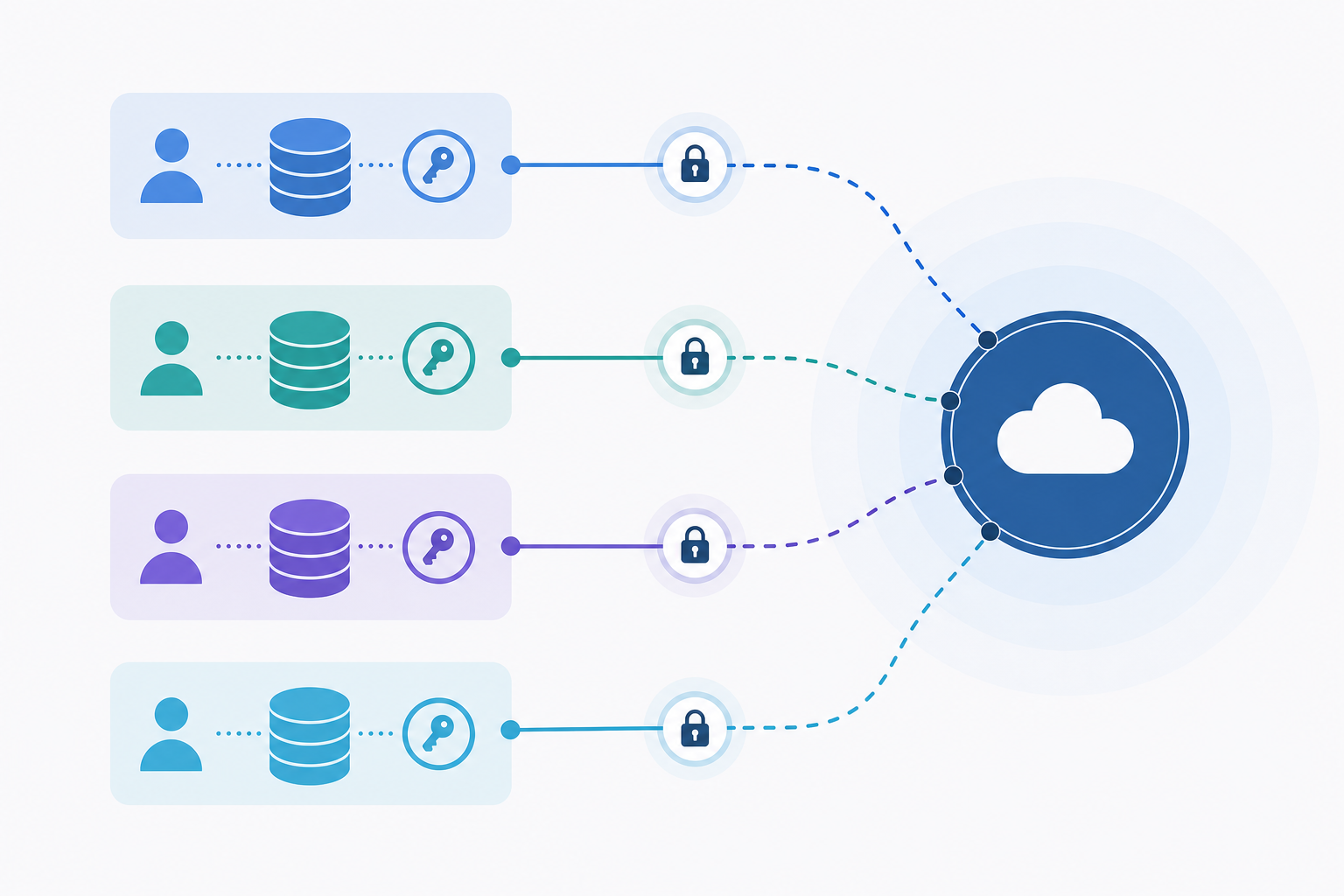
In a customer-facing context, every tenant brings their own credentials, their own OAuth token, their own refresh cycle, and their own sync state. A failure in one tenant's job should never surface in another's. That isolation has to be enforced at the architecture level, not patched after something goes wrong in production.
hotglue's Salesforce connector and HubSpot private apps both issue per-user tokens that expire on their own schedule. At scale, you're managing hundreds of independent refresh cycles, each with different expiry windows and scope configurations. If any of that token state is shared or loosely scoped, a bad refresh contaminates the wrong account.
Per-Tenant State Tracking
Snapshot-based state tracking is the piece teams most often skip in early builds. Without it, incremental syncs have no reliable anchor. Your connector either re-pulls everything from the beginning or misses records created between sync windows. Per-tenant snapshots solve this by preserving the last known sync state for each customer independently, so restarts pick up correctly and avoid producing gaps or duplicates. Custom mapping for CRM integrations is the next layer that handles per-customer schema variation reliably.
The teams that regret their in-house CRM integration architecture almost always regret it here first.
Bidirectional CRM Sync: When Read-Only Is Not Enough
Read-only sync is the obvious starting point. Pull contacts and accounts from Salesforce into your product, display them, done. But customers notice almost immediately that changes in your product never make it back. Deal stages stay stale. Activity records disappear into a void.
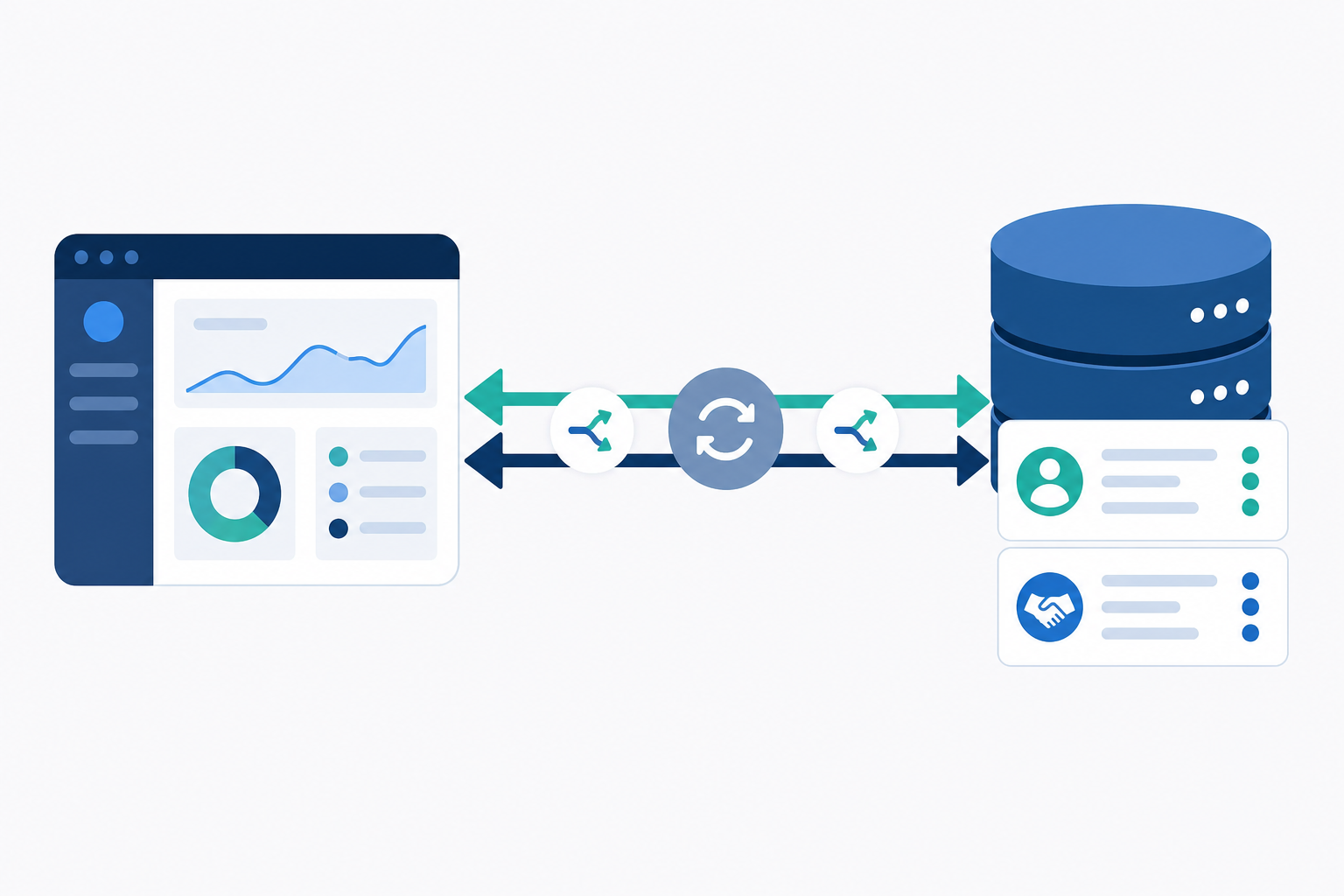
Write-back is where the actual workflow automation lives. When your product updates a deal stage, logs a completed task, or changes a contact status, that information needs to travel back to the source system. Bi-directional integrations make this reliable at scale, or the integration creates more reconciliation work than it saves.
Bidirectional sync introduces a real engineering problem: what happens when the same record changes in both systems between sync windows? Without a deterministic conflict resolution rule, you get unpredictable overwrites. Most teams pick a simple rule like last-write-wins or source-system-wins and apply it consistently. The specific rule matters less than having one.
Record matching underpins all of it. Before your integration can decide whether to update or create a record in HubSpot, it needs to know whether that record already exists. Matching on email alone works until it does not. Enterprise accounts often require multi-field matching: email plus company domain, or name plus account ID.
CRM Integrations as a Revenue and Retention Lever
When a customer connects their Salesforce or HubSpot instance to your product, the switching cost changes. Canceling means rebuilding a data pipeline and migrating accumulated integration state, far beyond simply finding a new tool. That friction works in your favor.
Integration depth also creates a natural foundation for pricing tiers. Customers with live CRM sync (whether through Salesforce, HubSpot, or a Pipedrive connector) are using more of your product, seeing more value, and are harder to uproot, which gives you a defensible reason to segment your plan structure around integration access.
On the onboarding side, CRM integrations remove the most common activation bottleneck: manual data entry. When contacts and accounts flow in automatically on day one, customers reach the "this is actually useful" moment faster, cutting early-stage churn before it develops.
Common Failure Modes in Production CRM Integrations
Four failure patterns appear consistently once a CRM integration is live with real customers at scale.
- Silent partial sync failures: an integration that partially succeeds but reports success is worse than a clean failure. Customers build workflows on top of incomplete data, and by the time anyone notices, the damage is weeks deep.
- Rate limit collisions: Salesforce and HubSpot both impose per-app rate limits. As your tenant count grows, unmanaged polling across hundreds of customers can exhaust your shared quota and degrade sync quality for everyone at once.
- Schema drift: CRM vendors deprecate API versions on their own schedules. A connector built against the current Salesforce REST API version breaks when that version is retired. Understanding how to offer a native CRM integration helps you architect around these risks from the start, and without active monitoring, you find out from a customer, not from your logs.
- No observability for your CS team: if your customer success team cannot see which tenants have broken CRM connections, every failure becomes a reactive support ticket instead of a proactive fix.
Sync health has to be visible internally, and to the customer.
How hotglue Handles Customer-Facing CRM Integrations at Scale
hotglue processes approximately 10 billion records weekly across 38,000+ active tenants. That scale is a meaningful proof point before you commit engineering cycles to any approach.
Salesforce and HubSpot connectors ship out of the box, including Salesforce's PKCE authentication requirement for external client apps. Because hotglue's connectors are open-source, your team can inspect, fork, or extend them for custom objects and non-standard schema configurations without filing a support ticket.
Bidirectional sync, multi-field record matching, and deduplication logic are built in below your product code. Chargebee reduced their time to implement new customer integrations by roughly 90% using hotglue.
Pricing is per active tenant, not per data volume, so costs stay predictable as your CRM integrations scale across hundreds of customers.
Final Thoughts on Customer-Facing CRM Integrations for B2B SaaS Products
Your customers already live in Salesforce or HubSpot, and the faster your product connects to that data, the faster they see value in what you built. The technical complexity is real, but it doesn't have to sit entirely on your engineering team. Talk to hotglue if you want to see how other B2B SaaS teams are shipping production-grade CRM connectors without pulling engineers off the core roadmap.
FAQ
What is the difference between a unified API and an embedded iPaaS for customer-facing CRM integrations?
A unified API normalizes Salesforce, HubSpot, and other CRMs into a single abstracted endpoint, which speeds up category coverage but often drops enterprise features like custom objects and non-standard pipeline stages. An embedded iPaaS like hotglue sits inside your product and handles auth, sync orchestration, and field mapping per connector, giving your team full access to CRM-specific schema without the abstraction ceiling.
How do I let my SaaS customers connect their own Salesforce or HubSpot without my engineering team building each connector?
Use an embedded integration layer where pre-built connectors, OAuth flows, and multi-tenant sync are handled below your product code. Hotglue ships Salesforce and HubSpot connectors out of the box, including PKCE auth support, open-source connector code your team can inspect or extend, and per-tenant state tracking so one customer's broken sync never touches another's.
How do CRM integrations built into my SaaS product reduce churn and increase revenue?
CRM integrations raise switching costs and remove the manual data-entry bottleneck at onboarding, cutting early-stage churn before it compounds into a retention problem.
How does hotglue's per-tenant pricing model scale as my CRM integrations grow across hundreds of customers?
Hotglue charges per active tenant within a 30-day rolling window, not per data volume, so your costs stay predictable as your customer count grows. A single tenant connecting to both Salesforce and HubSpot counts as one tenant, and you're only billed when that tenant runs a sync, which keeps pricing tied to actual usage instead of theoretical capacity.
Can I build bidirectional Salesforce and HubSpot sync without writing custom conflict resolution logic from scratch?
Yes. Hotglue's record-matching engine supports multi-field deduplication out of the box, matching on email, account ID, or combinations of fields to decide whether to update or create a record. Bidirectional write-back and conflict resolution are handled at the infrastructure layer, so your team defines the rules without engineering the underlying sync machinery from scratch.